
How to download Kick clips and VODs
You can download a Kick clip as an MP4 right on Kick: Kick says all clips can be downloaded when you view them (How to create clips on Kick). A clip downloader such as KickBot’s also saves any Kick clip from its link. Kick VODs (past streams) are different: Kick has no download button for them, so you need a VOD downloader (How to download your Kick VOD).
This guide covers both, plus how to cut only the part of a VOD you need. Kick facts were checked in October 2026.
Download a Kick clip
Section titled “Download a Kick clip”On Kick
Section titled “On Kick”When you make a clip, Kick shows a Download option after you click Publish. For other clips, Kick says all clips can be downloaded as MP4 when you view them. See how to clip on Kick for the clip steps.
With the KickBot clip downloader
Section titled “With the KickBot clip downloader”Use this when you only have a clip link, or the download option on Kick does not work for you.
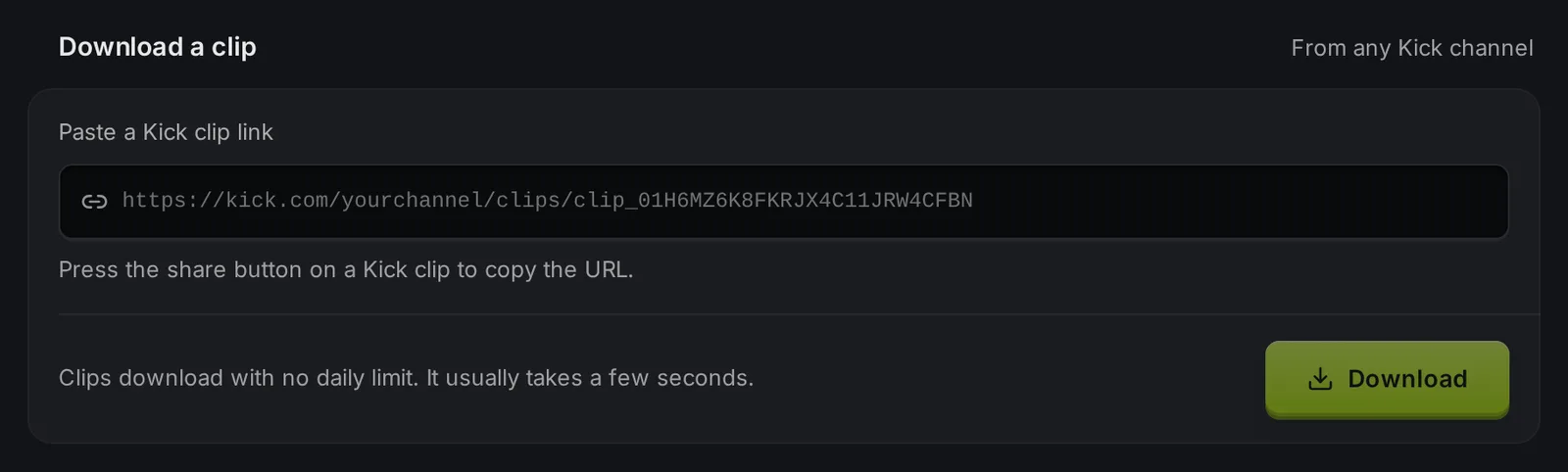
- On Kick, open the clip and press the share button to copy its link. It looks like
https://kick.com/channelname/clips/clip_.... - Open kickbot.com/dashboard/kick-clips.
- Paste the link. KickBot shows a preview of the clip. Check that it is the right one.
- Click Download. When the clip says Ready to download, click Download again to save the MP4.
You need a free KickBot account. It works with clips from any Kick channel. The full guide is in Kick clip downloader.
KickBot !clip clips
Section titled “KickBot !clip clips”If a channel uses KickBot’s !clip command, each clip has a page at kickbot.com/clip/.... Open it and click Download. You do not need an account for this.
Download a Kick VOD
Section titled “Download a Kick VOD”A VOD is a saved replay of a past stream. Kick does not have a download button for VODs. Its help center lists a few ways (How to download your Kick VOD): third-party download tools, or copying the video’s stream link from your browser’s developer tools. The developer tools way works, but it is technical. A downloader is easier.
With the KickBot VOD downloader
Section titled “With the KickBot VOD downloader”- On Kick, open the VOD on the channel’s Videos tab and copy the link from your browser’s address bar.
- Open kickbot.com/dashboard/vod and paste the link.
- Pick the quality. The best quality is picked for you, for example 1080p60.
- Click Download. Long streams take a while. You can close the page and come back.
- When the row says Ready to download, click Download on that row to save the MP4.
On the Free plan, you can start 2 VOD downloads in 24 hours, and the files stay available for 36 hours. With Premium there is no daily limit, downloads start sooner, and files stay for 14 days. Details are in VOD downloader.
Only need a part of the VOD?
Section titled “Only need a part of the VOD?”A full stream can be many hours and many gigabytes. If you only want one moment, the KickBot VOD editor cuts a part of a VOD and exports it as an MP4. Paste the VOD link, set the start and the end, and export. On the Free plan, a cut can be up to 20 minutes. With Premium, up to 3 hours.
Download soon: Kick deletes old VODs
Section titled “Download soon: Kick deletes old VODs”Kick does not keep VODs forever. At the time of writing, Kick keeps replays for 7 days on channels that are not verified (up to 16 replays), and for up to 30 days on verified channels (up to 30 replays) (Kick VODs). Streamers can also delete a VOD or make it private. If you want a copy, download it soon after the stream.
Use downloads with respect
Section titled “Use downloads with respect”A clip or a VOD belongs to the streamer who made it. Watching a downloaded copy yourself is one thing. Posting it on another site is another.
- Ask the streamer before you repost their content, and credit them.
- Many streamers are happy to have clip channels, but some are not.
- Do not download private or deleted content in other ways.
If you are a streamer and want to use your own clips and VODs for short videos, see use clips and short videos to grow on Kick.
How do I download a Kick clip?
Open the clip on Kick and use the download option, which saves an MP4. Or copy the clip link and paste it in a clip downloader such as KickBot’s at kickbot.com/dashboard/kick-clips.
Can you download Kick VODs?
Not with a button on Kick. Use a VOD downloader, such as the KickBot VOD downloader, and paste the VOD link. Kick’s help center also mentions other third-party tools.
How long do Kick VODs stay up?
Kick keeps replays for 7 days on channels that are not verified, and for up to 30 days on verified channels. The streamer can delete them earlier.
Is the KickBot clip downloader free?
Yes. You need a free KickBot account, and there is no daily limit for clips. VOD downloads have a daily limit of 2 on the Free plan.