
KickBot Premium
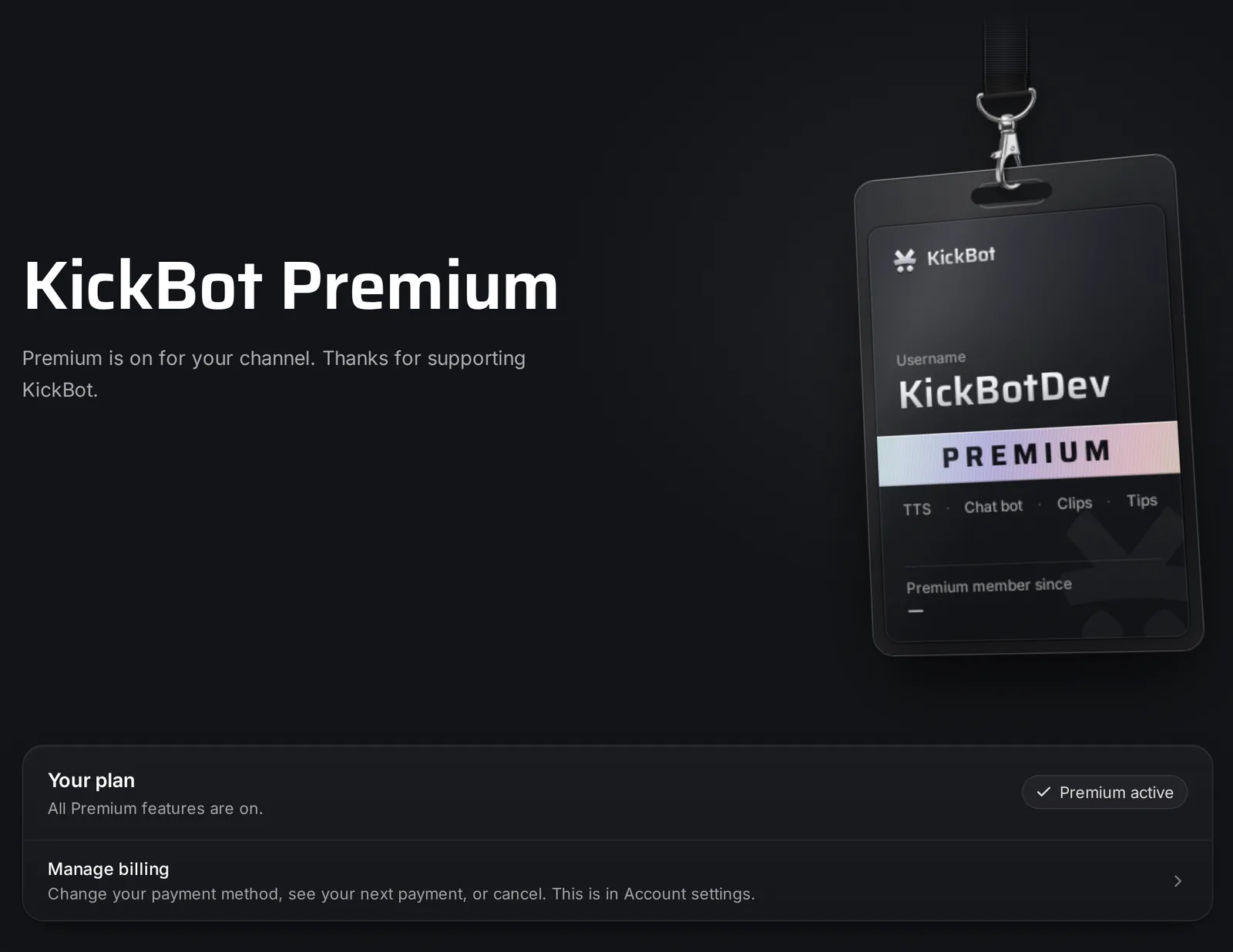
KickBot Premium is the paid plan for one Kick channel. It costs $9.99 a month or $84 a year (USD), and the monthly plan starts with a 30-day free trial. Premium removes most limits of the Free plan and adds 3,000+ TTS voices, voice cloning, longer clips and more. You get it at Account > Premium in the dashboard.
Most of KickBot is free. The rest of these docs show each feature with Premium on, and say where the Free plan has a lower limit.
What Premium adds
Section titled “What Premium adds”- 3,000+ TTS voices: celebrities, characters and streamers, for TTS and for tips. See voice library.
- AI voice cloning: up to 10 voices of your own. See voice cloning.
- Clips up to 240 seconds, with your own default length and chat reply. See clip command.
- Unlimited commands, timed messages and widgets.
- Unlimited team members. See Manage team.
- Unlimited VOD downloads, in a priority queue, kept for 14 days. See VOD downloader.
- VOD edits up to 3 hours long. See VOD editor.
- Unlimited AI character messages, live web search in AI replies, and your choice of AI model. See AI character.
- 1,000 AI images a month, with 12 image style guidelines. See AI images.
- Your channel promoted on KickBot clip pages while you are live. See clip pages.
- A custom tip page URL. See tip page.
- Early access to new features and priority support.
Free and Premium limits
Section titled “Free and Premium limits”| Feature | Free | Premium |
|---|---|---|
| TTS voices | 4 (6 for Auto read) | 3,000+ |
| Voice clones | None | 10 |
| Max clip length | 120 seconds | 240 seconds |
| Custom clip reply and lengths | No | Yes |
| Custom commands turned on | 5 | Unlimited |
| Timed messages turned on | 3 | Unlimited |
| AI character messages | 100 a month | Unlimited |
| Live web search in AI replies | No | Yes |
| AI images | 50 a month | 1,000 a month |
| Image style guidelines | No | 12 |
| VOD downloads | 2 a day, kept 36 hours | Unlimited, kept 14 days |
| VOD editor | Up to 20 minutes | Up to 3 hours |
| Widget builder widgets | 10 | Unlimited |
| Team members (you included) | 3 | Unlimited |
| Custom tip page URL | No | Yes |
“A month” means the last 30 days. Built-in commands, such as !followage, do not count toward the 5 custom commands.
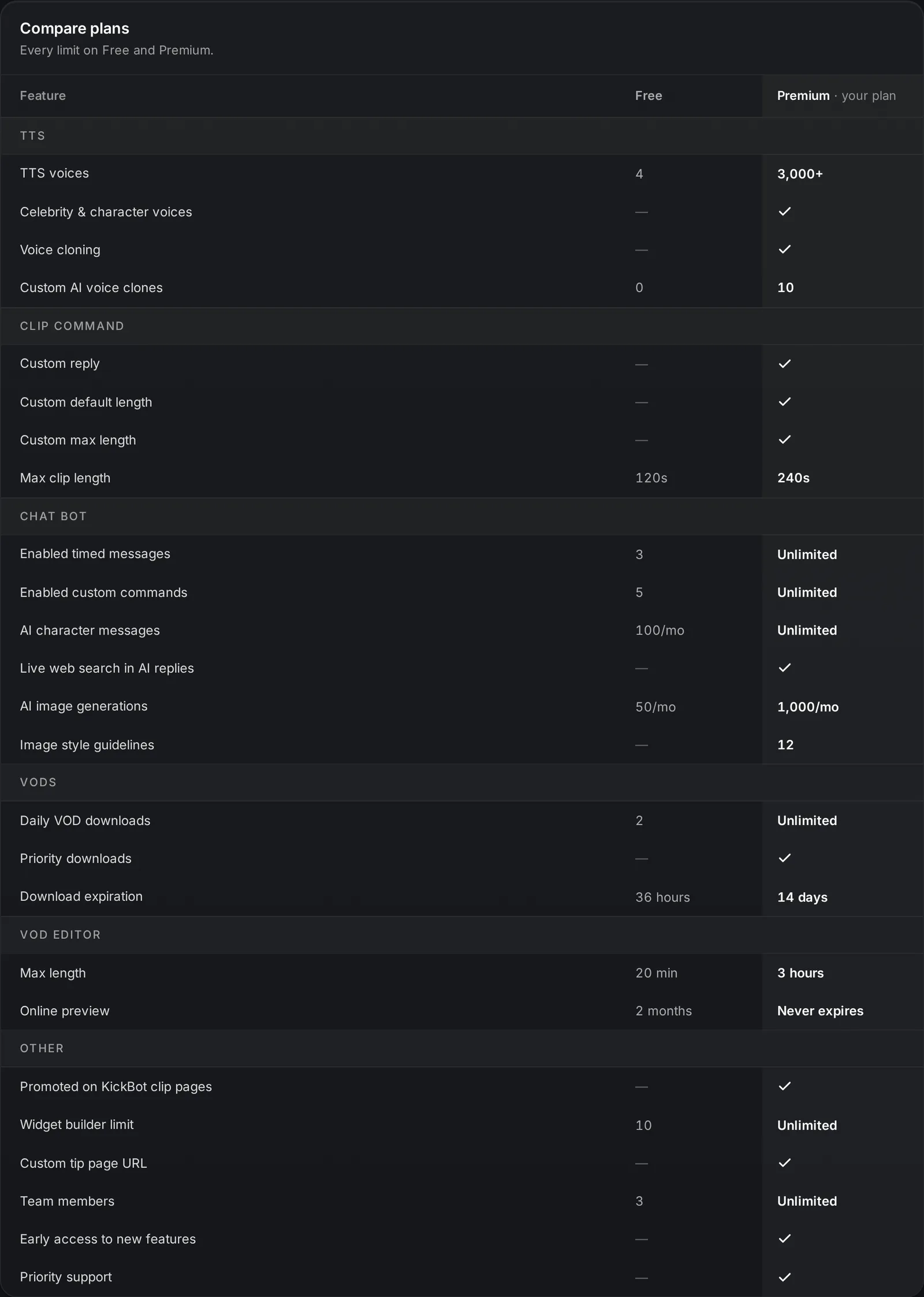
On the Free plan, the Premium page also shows Your busiest limits: how close your channel is to each Free limit right now.
| Plan | Price (USD) | Free trial |
|---|---|---|
| Monthly | $9.99 a month | 30 days |
| Yearly | $84 a year (works out to $7 a month) | No trial |
In the United Kingdom and in euro countries, the Premium page shows prices in pounds or euros. Checkout is by Stripe. You can pay with a credit or debit card. Apple Pay, Google Pay and other options show at checkout when your device and country support them.
The 30-day free trial
Section titled “The 30-day free trial”The monthly plan starts with 30 days free:
- Open kickbot.com/dashboard/premium and choose Monthly.
- Click the button to start the trial and add a card at checkout. You pay nothing today.
- Premium is on at once. Your first payment is 30 days later, then every month.
Cancel before the trial ends and you are never charged. The Premium page shows the exact date.
If your channel had Premium recently, the monthly plan starts without a trial. The yearly plan never has a trial: you pay for the year up front.
Premium is per channel
Section titled “Premium is per channel”Premium belongs to a channel, not to a login. When the channel owner buys Premium, everyone on the channel’s team gets the Premium features on that channel. If you manage more than one channel, each channel needs its own Premium.
Only the person who bought Premium, or the channel owner, can manage or cancel the subscription.
Manage billing
Section titled “Manage billing”Go to Account > Settings > Premium subscription. You see:
- Status: Active, Canceling or Payment issue.
- Next billing: the date and the amount of your next payment.
- Update payment info: opens the Stripe billing page, where you change your card and see your invoices.
If a payment fails, Settings shows Payment issue detected. Update your card so that you do not lose Premium.
Cancel Premium
Section titled “Cancel Premium”- Go to Account > Settings.
- In Danger zone, click Cancel subscription.
- Confirm. KickBot asks why you cancel. This is optional.
Premium stays on until the end of the period that you paid for. Then your channel goes back to the Free limits. Your commands, timed messages, widgets and cloned voices are kept. Items over the Free limits stop working until you have Premium again, for example custom commands over the 5 that can be on.
Refunds
Section titled “Refunds”If you do not like Premium, email support@kickbot.com within 7 days of a payment. KickBot refunds that payment in full.
How much is KickBot Premium?
$9.99 a month or $84 a year in US dollars. The monthly plan starts with a 30-day free trial.
Do I need Premium to use KickBot?
No. The chat bot, TTS, overlays, tipping, clips and VOD tools all work on the Free plan, with the limits in the table above.
Can I cancel KickBot Premium at any time?
Yes. Cancel in Settings. Premium stays on until the end of the period that you paid for.
Do my moderators get Premium too?
Yes, on your channel. Premium is for the channel, so everyone on your team uses the Premium features when they manage it.