
Earnings and payouts
Tipping > Earnings shows the money your viewers tipped you, after fees, and every tip you received. From each tip you can see the fees, replay it or refund it. Stripe pays your balance to your bank once a month, on the 15th, for tips that are at least 7 days old.
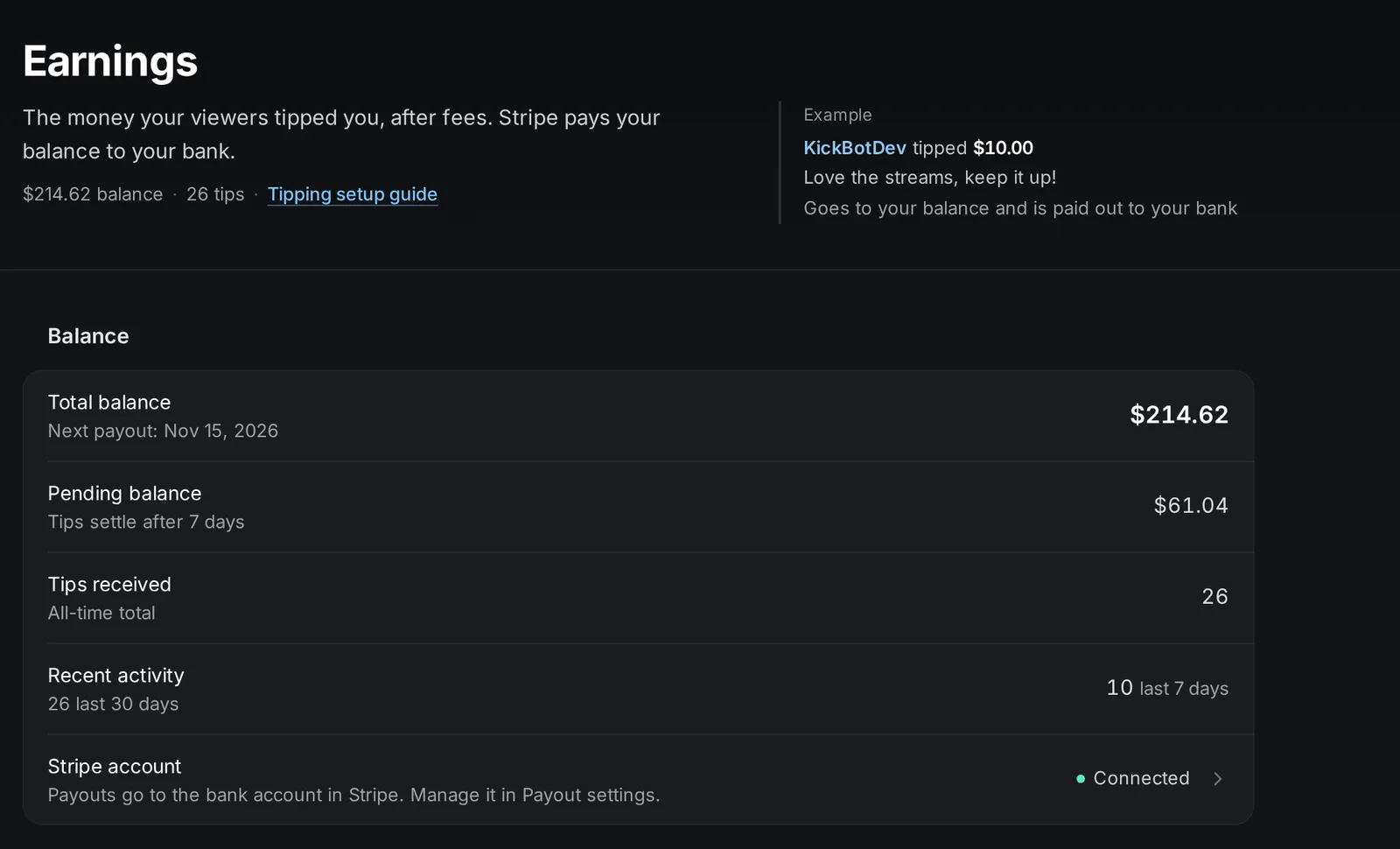
Balance
Section titled “Balance”| Row | What it shows |
|---|---|
| Total balance | Everything in your Stripe balance that is not paid out yet, including pending tips. Under it is the date of the next payout. |
| Pending balance | Tips from the last 7 days. They are not ready for a payout yet. |
| Tips received | How many tips you received in total. |
| Recent activity | How many tips you received in the last 7 and 30 days. |
| Stripe account | Connected when your Stripe account works. Click it to open Payout settings. |
The balance is shown after fees. Test tips are not counted.
Daily earnings
Section titled “Daily earnings”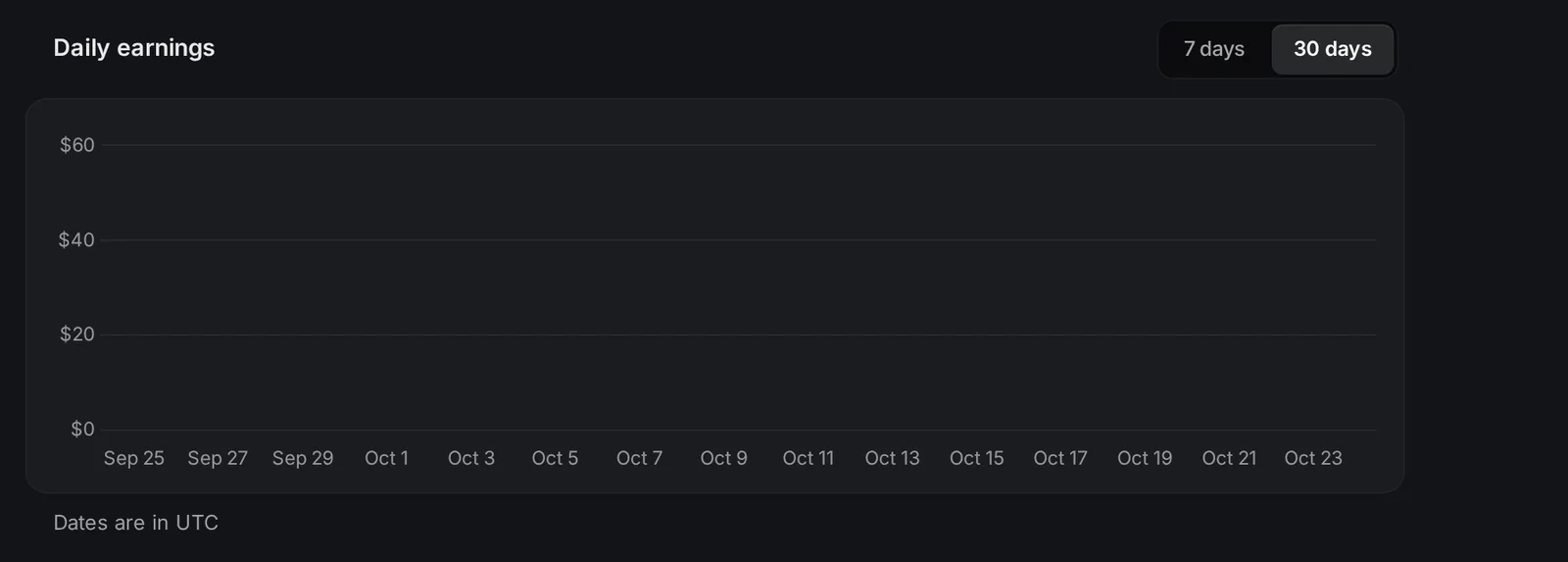
The Daily earnings chart shows what you earned each day after fees, for the last 7 days or 30 days. Dates are in UTC.
Fees with an example
Section titled “Fees with an example”Each tip has two fees:
- KickBot platform fee: 6% of the tip.
- Stripe payment processing fee: 2.9% of the tip + $0.30.
Each fee is rounded to the nearest cent on its own. Then both are taken from the tip. A $5.00 tip works like this:
- KickBot fee: 6% of $5.00 = $0.30
- Stripe fee: 2.9% of $5.00 = $0.145, plus $0.30 = $0.445, rounded to $0.45
- You get: $5.00 - $0.30 - $0.45 = $4.25
| Tip | KickBot fee | Stripe fee | You get |
|---|---|---|---|
| $1.00 | $0.06 | $0.33 | $0.61 |
| $3.00 | $0.18 | $0.39 | $2.43 |
| $5.00 | $0.30 | $0.45 | $4.25 |
| $10.00 | $0.60 | $0.59 | $8.81 |
| $20.00 | $1.20 | $0.88 | $17.92 |
| $50.00 | $3.00 | $1.75 | $45.25 |
| $100.00 | $6.00 | $3.20 | $90.80 |
Because the Stripe fee has a fixed $0.30, small tips lose a larger share. Presets of $3 or more keep more of each tip for you.
There are no payout fees and no minimum payout. KickBot pays the currency exchange fees for tips from other countries.
Payout schedule
Section titled “Payout schedule”- Stripe sends a payout once a month, on the 15th, to the bank account in your Stripe account. Bank holidays and weekends can delay it by 1 to 2 days.
- Each tip settles for 7 days first. Tips received from the 8th to the 15th go into the next month’s payout.
For example, a tip on October 3 is in the October 15 payout. A tip on October 10 is in the November 15 payout.
To change your bank account or your details, open Payout settings and click Manage Stripe account.
Your tips
Section titled “Your tips”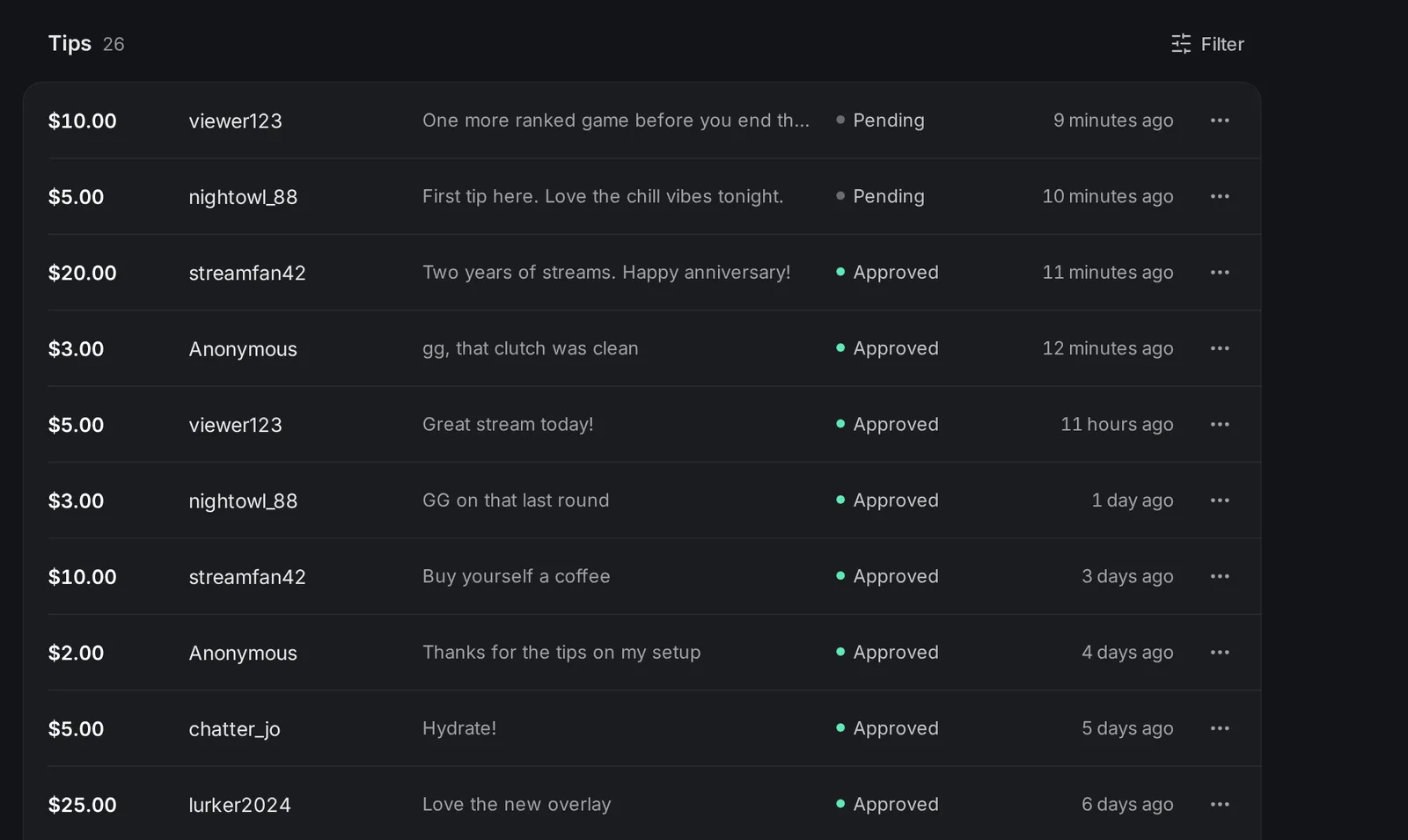
The Tips list shows every real tip, newest first. Click Filter to show only some statuses, an amount range, or to sort by oldest, highest or lowest amount.
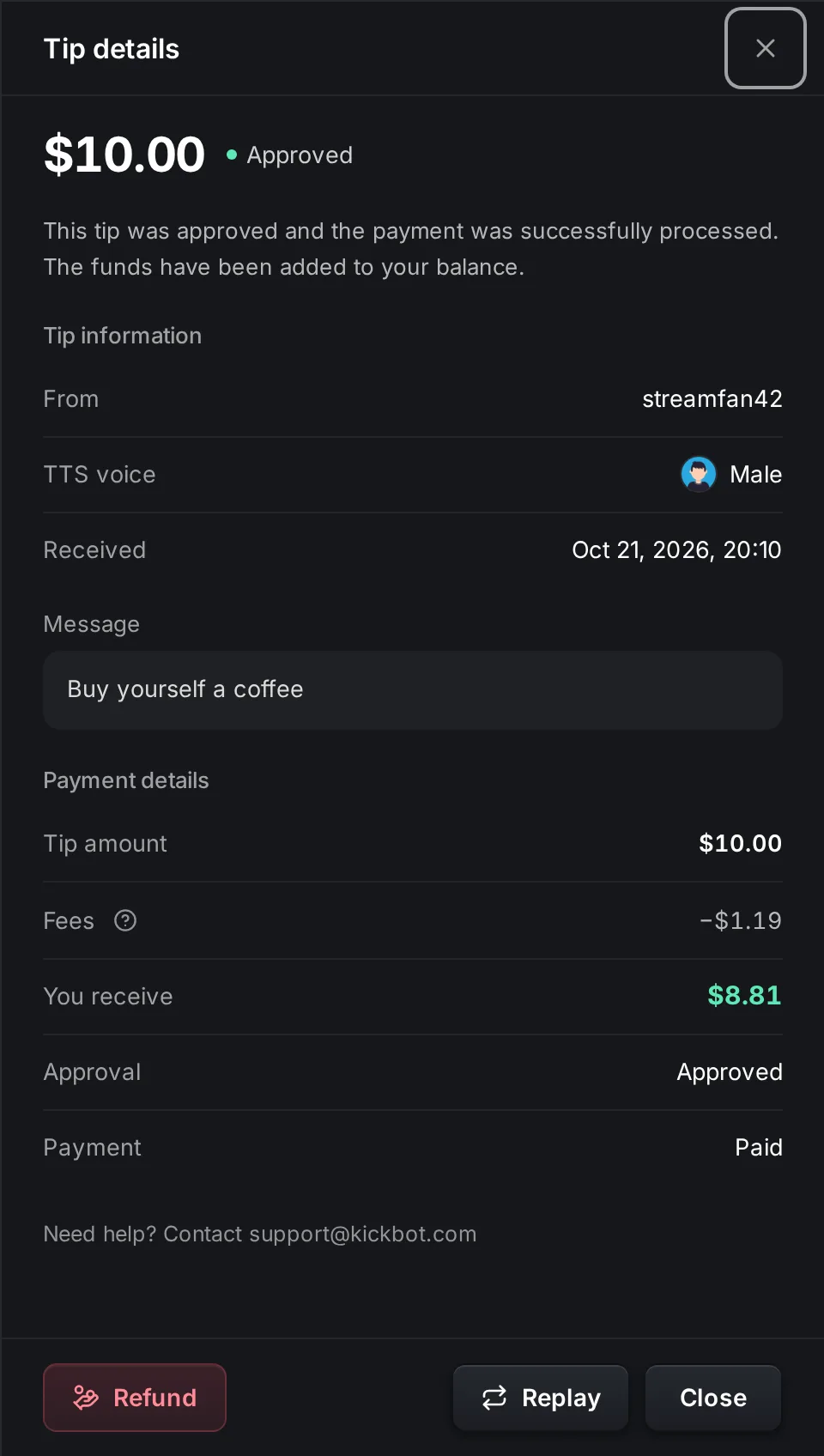
Click a tip to see its details: who sent it, the TTS voice, the time, the message, the fees and what you received.
Tip statuses
Section titled “Tip statuses”| Status | What it means |
|---|---|
| Approved | The tip played and the payment went through. The money is in your balance. |
| Pending | The tip waits for approval in the tip queue. |
| Rejected | You rejected the tip before it played. The viewer was not charged. |
| Expired | The tip did not play within 15 minutes, because nobody approved it or the tip widget was not open. The viewer was not charged. |
| Canceled | The payment was canceled. No money was collected. |
| Refunded | You refunded the tip. |
| Disputed | The viewer filed a chargeback. KickBot is fighting it for you. |
| Failed | The payment failed, for example because the card had no funds. |
Replay a tip
Section titled “Replay a tip”In the tip details, click Replay to play an approved tip on stream again. The viewer is not charged again. You can also replay recent tips from the tip queue.
Refund a tip
Section titled “Refund a tip”You can give a viewer their money back for a tip that was paid.
- Click the tip in the Tips list, or click … at the end of its row.
- Click Refund.
- Check the amounts in the Confirm refund popup and click Refund tip.
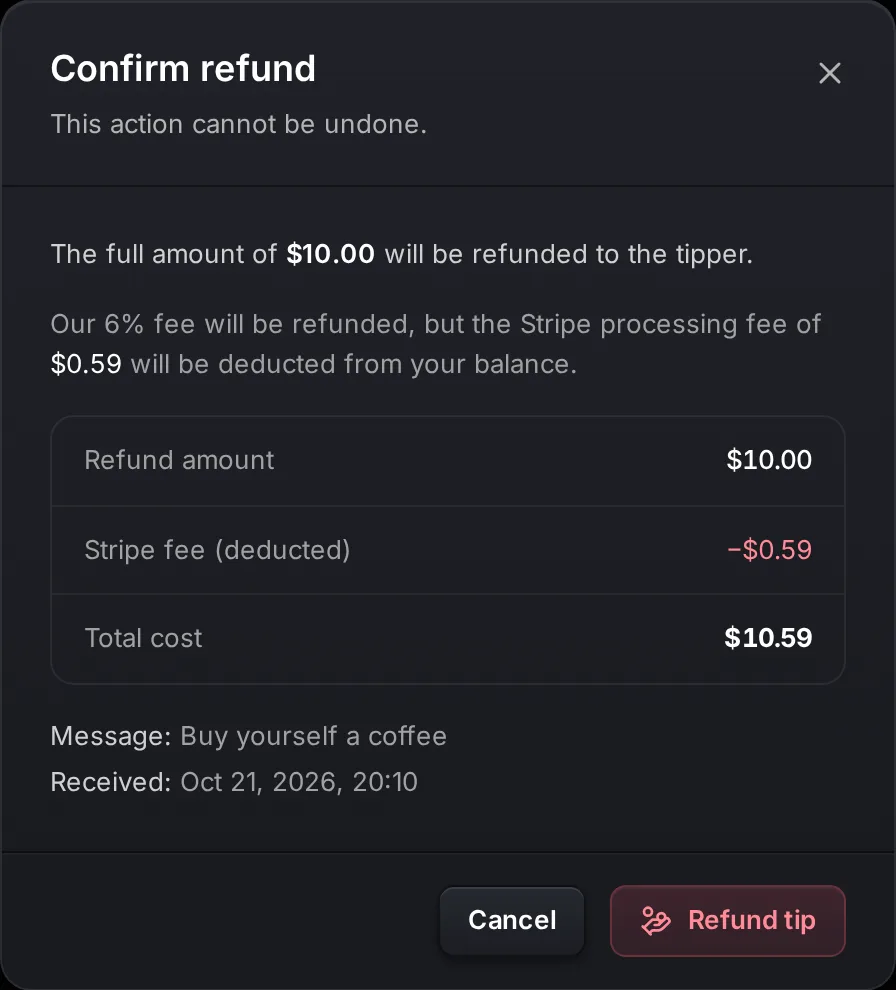
What happens with a $10.00 tip:
- The viewer gets the full $10.00 back.
- KickBot gives you back its $0.60 fee.
- Stripe does not return its $0.59 fee. That fee comes out of your balance.
You received $8.81 for the tip. After the refund, your balance is $0.59 lower than it was before the tip came in. To start a refund, your balance must be at least the tip plus the Stripe fee ($10.59 in this example). If it is lower, the button says Need $10.59 to refund.
To avoid refunds, reject unwanted tips in the tip queue before they play. A tip that is rejected before it plays is never charged.
Chargebacks
Section titled “Chargebacks”If a viewer disputes a tip with their bank, the tip changes to Disputed. The amount you received for it is taken from your balance while the dispute is open. KickBot pays the $15 dispute fee and fights the chargeback. If the dispute is decided in your favor, the money goes back to your balance. If the viewer wins, the tip goes back to the viewer. You never pay the dispute fee.
Refunds for viewers
Section titled “Refunds for viewers”For viewers, tips are final. Before they pay, viewers agree that a tip is non-refundable (see the KickBot refund policy). A refund only happens when you choose to give one.
Troubleshooting
Section titled “Troubleshooting”My balance is lower than my tips. The balance is after fees, and tips from the last 7 days are in Pending balance. Refunds and disputes also lower it.
I did not get a payout on the 15th. Wait 1 to 2 business days for weekends and bank holidays. Then check Payout settings. If the status is Active (action needed), Stripe needs more details before it can pay you.
A tip shows Expired. It did not play within 15 minutes. Keep the tip widget open in OBS and approve tips in time.
How much do I get from a $5 tip on KickBot?
$4.25. KickBot keeps $0.30 (6%) and Stripe keeps $0.45 (2.9% + $0.30).
When does KickBot pay out tips?
Once a month on the 15th, through Stripe, for tips that are at least 7 days old. There is no minimum payout.
Can I refund a tip?
Yes. Open the tip in Earnings and click Refund. The viewer gets the full amount back, KickBot returns its 6% fee, and the Stripe fee is taken from your balance.
What happens if a viewer files a chargeback?
KickBot pays the $15 dispute fee and fights it for you. The tip amount is held from your balance until the dispute is decided. If KickBot wins, you get it back. If the viewer wins, the viewer gets it back. The $15 fee is never taken from you.