
TTS voice library
The voice library has more than 3,000 AI text-to-speech voices that you can add to your Kick stream: characters, celebrities, memes, narrators and voices made by other KickBot streamers. You play a sample, click Install, and the voice gets its own chat command in My voices. Open it at kickbot.com/dashboard/tts/library, or click TTS, then Voice library.
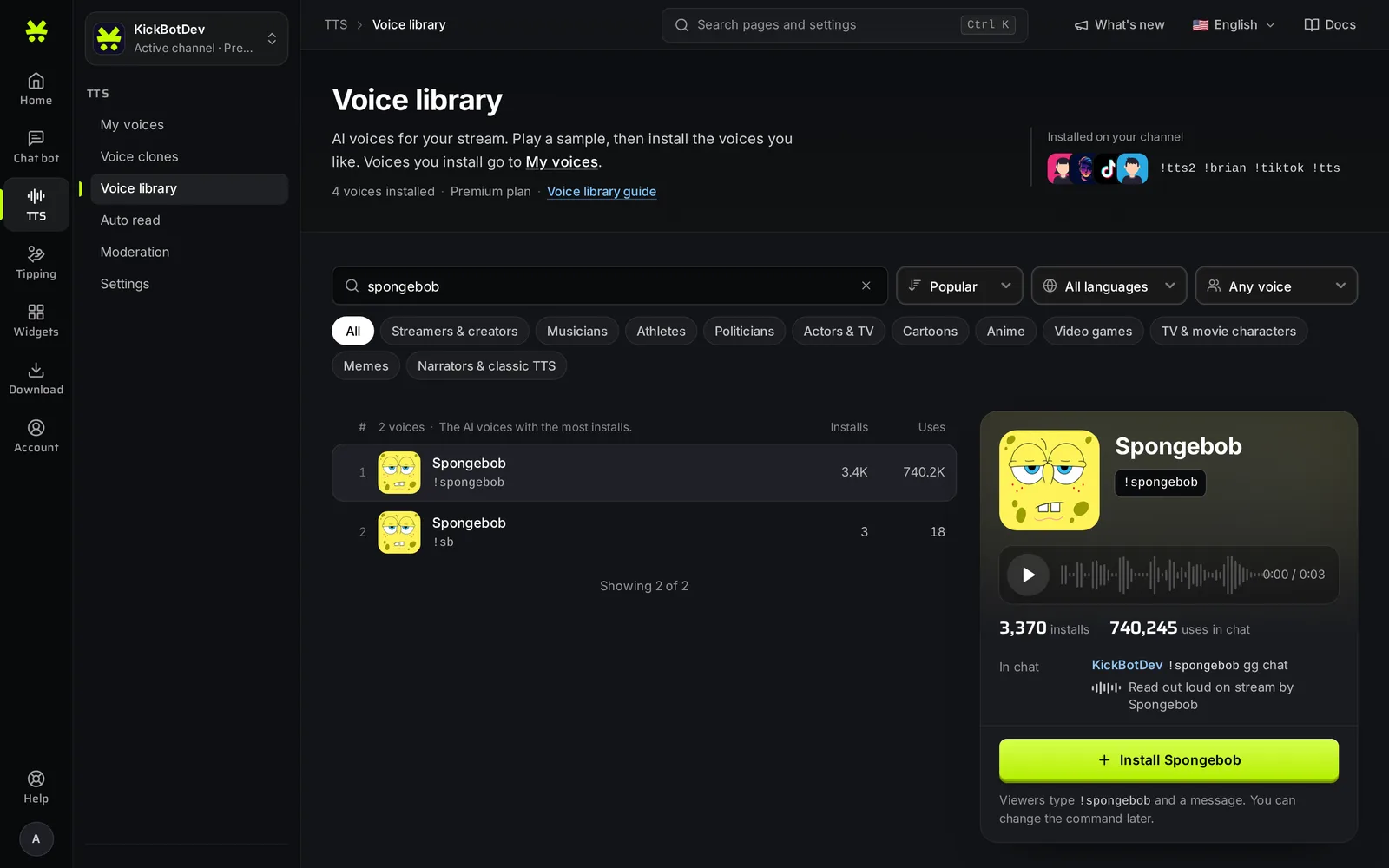
Find a voice
Section titled “Find a voice”- Search: type a voice name or part of it. Press
/on your keyboard to jump to the search box. - Sort: Popular (the voices with the most installs), Trending (the voices with the most messages right now) or New (the latest voices).
- Language: show voices made in one language. Every voice can speak any language, but a voice made in your language usually has less of an accent.
- Voice gender: Any voice, Male voices or Female voices.
- Categories: Streamers & creators, Musicians, Athletes, Politicians, Actors & TV, Cartoons, Anime, Video games, TV & movie characters, Memes, and Narrators & classic TTS.
Click Clear filters to go back to the full list. Click Show more at the bottom of the list to see more voices.
Your search and filters are in the page address, so you can bookmark a list or send it to a mod.
Listen to a voice
Section titled “Listen to a voice”Click a voice in the list to select it. The panel on the right (a popup on a phone) shows:
- A sample player. Only you hear the sample. It does not play on stream.
- How many channels installed the voice, and how many times it was used in chat.
- The language the voice was made in.
- An example of the chat command, for example
!spongebob gg chat.
Install a voice
Section titled “Install a voice”- Select the voice.
- Click Install and the voice name.
The voice is added to My voices right away. It is on, everyone can use it, and its command is the default command shown in the panel. You can change the command and who can use it later in My voices.
The top of the page shows the voices you installed most recently, with their commands. Voices you already have show Installed in the panel. To remove one, select it and click Remove. Its settings in My voices are deleted too.
Where the voices come from
Section titled “Where the voices come from”Some voices are made by KickBot. Many are voice clones that other streamers made and shared. A streamer can mark a clone as public when they create it, and the KickBot team reviews it before it shows in the library. You can make your own with voice cloning.
Troubleshooting
Section titled “Troubleshooting”- Install does not work. Your channel needs Premium for AI voices, and you need the TTS permission if you are a team member. See manage your team.
- A voice is not in the list. Clear the filters and search by name. Voices you already installed still show in the list, marked Installed.
- The voice sounds wrong in another language. Pick a voice made in that language with the Language filter.
How many TTS voices does KickBot have?
More than 3,000. New voices are added often. Sort by New to see the latest ones.
Is there a list of Kick TTS voices?
Yes. The voice library in the dashboard lists all voices. To see the voices a channel uses, type !voices in its chat to get the link to its public voice list.
Can TTS voices speak Spanish or other languages?
Yes. Every voice can speak any language. A voice made in Spanish usually sounds more natural in Spanish. Use the Language filter to find one.