
TTS voice cloning
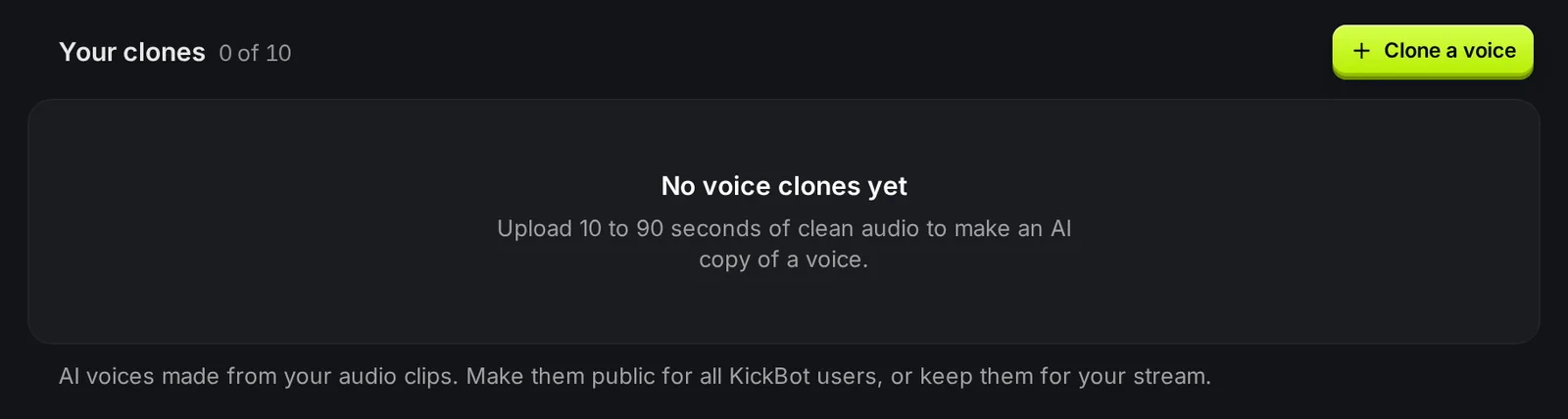
Voice cloning makes an AI copy of a voice from a short audio clip. You upload 10 to 90 seconds of clean speech, KickBot trains the voice in about a minute, and your viewers can use it in TTS with its own chat command. Clone your own voice, a friend’s voice with their permission, or a character voice you have the rights to use. Open it at kickbot.com/dashboard/tts/clones, or click TTS, then Voice clones.
Get your audio ready
Section titled “Get your audio ready”Good audio gives a better clone. Before you start:
- Use clean speech from one person only. No music, game sound, other voices or echo.
- Use 30 to 90 seconds in total for the best result. The minimum is 10 seconds.
- Talk in the language and style you want the clone to use.
- Cut long pauses and background noise.
| Rule | Limit |
|---|---|
| Total length of all files | 10 to 90 seconds (30 seconds or more is best) |
| Number of files | 1 to 5 |
| File size | Up to 10 MB each |
| File types | MP3, WAV or M4A |
| Voice icon | Required. Any image, cropped to a square. |
Clone a voice
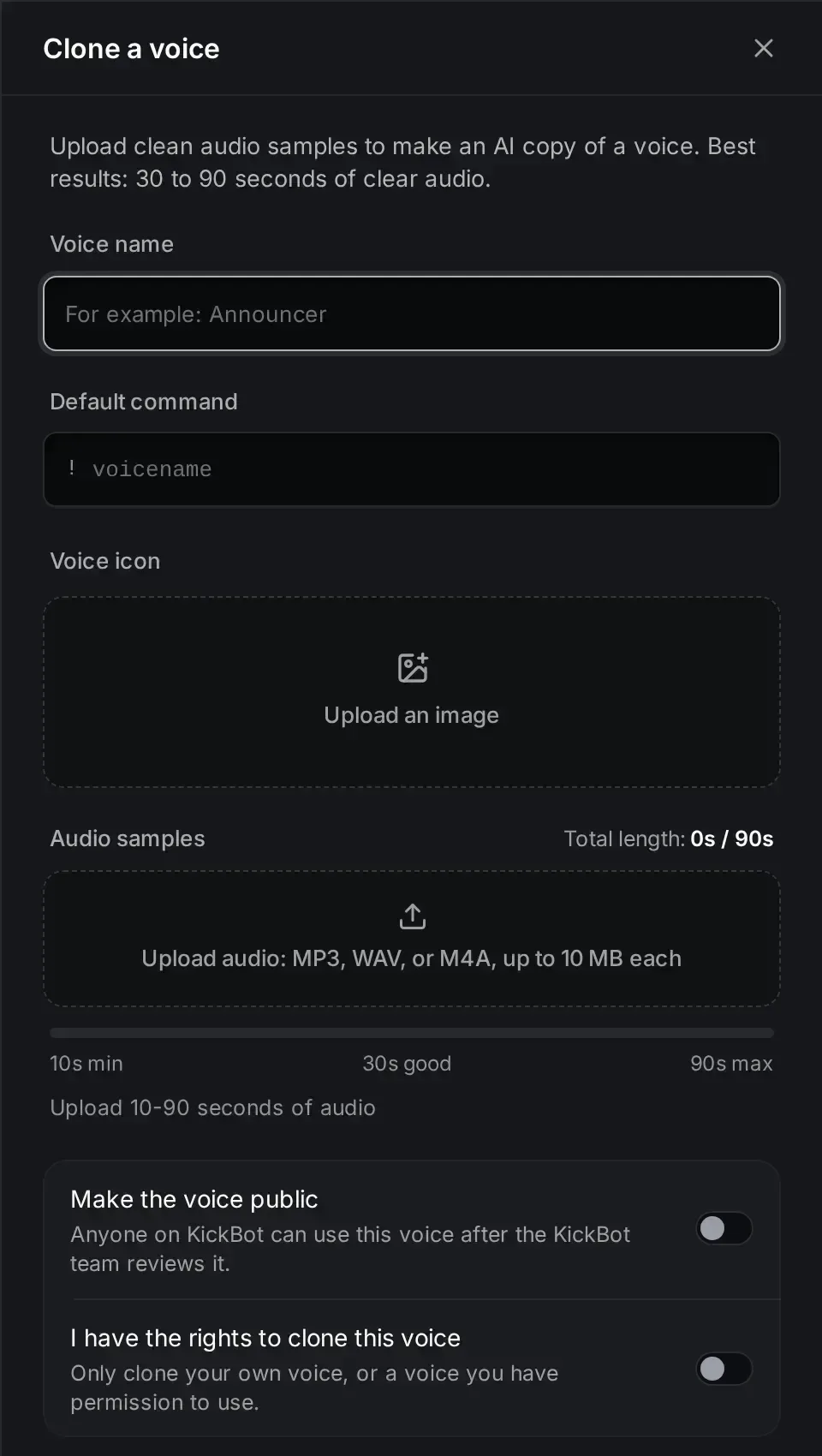
Section titled “Clone a voice”- On the Voice clones page, click Clone a voice.
- In Voice name, type the name viewers see, for example “Announcer”. Up to 20 characters.
- In Default command, type the chat command without the
!. Letters and numbers only, up to 20 characters. - Under Voice icon, click Upload an image. Drag the picture to move it, and scroll or pinch to zoom.
- Under Audio samples, upload your audio files. The bar shows the total length: 10 seconds is the minimum, 30 seconds is good, 90 seconds is the maximum.
- Optional: turn on Make the voice public. See Private and public clones.
- Turn on I have the rights to clone this voice.
- Click Create voice.
KickBot trains the voice. This takes about a minute. Do not refresh the page while it runs.
When it is done, the clone shows in Your clones. KickBot also adds it to My voices with your default command. The command starts turned off. Open My voices, turn the voice on, and pick who can use it.
Private and public clones
Section titled “Private and public clones”| Visibility | What it means |
|---|---|
| Private | Only usable on your stream. This is the default. |
| In Review | You made the clone public, and the KickBot team is reviewing it. |
| Public | All KickBot streamers can find and use the voice in the voice library. |
Manage your clones
Section titled “Manage your clones”Click a clone in Your clones to see:
- Play sample: hear the clone. Only you hear it.
- Default command: the command viewers type. To change it, or to change who can use it, open My voices.
- Visibility: Private, In Review or Public.
- Uses: how many times the voice was used.
To delete a clone, open it and click Delete clone, then confirm. Its command is removed too. You cannot undo this. Deleting a clone frees a slot for a new one.
Troubleshooting
Section titled “Troubleshooting”- Create voice does not start. The popup shows what is missing: a voice name, a default command, a voice icon, audio, at least 10 seconds of audio, or the rights confirmation.
- “Total audio length cannot exceed 90 seconds”. Remove a file, or upload a shorter clip.
- “You can upload 5 files at most”. Remove a file. You can also join short clips into one file before you upload.
- A file is missing after upload. Files larger than 10 MB are skipped. Export the clip as MP3 to make it smaller.
- The clone does not play in chat. Turn its command on in My voices. New clones start turned off.
- The Clone a voice button is gone. All 10 slots are used. Delete a clone to make room.
- The clone sounds wrong. Use cleaner audio with one voice, at least 30 seconds, and no music. Then delete the clone and make a new one.
How do I make a TTS voice of myself on Kick?
Record 30 to 90 seconds of yourself talking, with no music or game sound. Then open Voice clones in KickBot, click Clone a voice, upload the recording and click Create voice. Turn the new command on in My voices.
How long does voice cloning take?
About a minute after you click Create voice.
How many voices can I clone?
Up to 10 voice clones per channel with Premium. Delete a clone to free a slot.
Can other streamers use my cloned voice?
Only if you turn on Make the voice public and the KickBot team approves it. Private clones only work on your stream.