
Kick follower count overlay
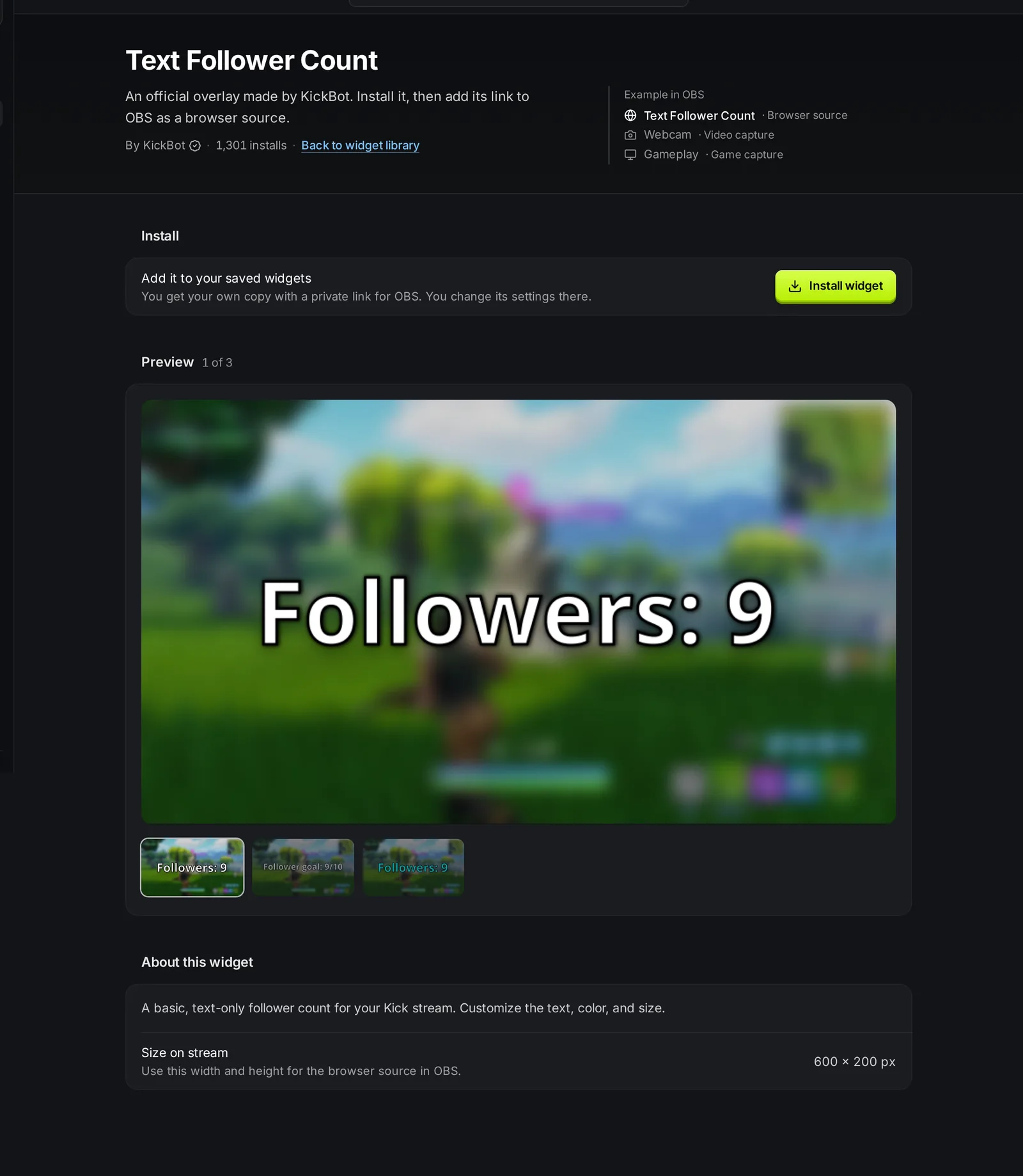
KickBot has two official widgets that show your Kick follower count on stream. Text Follower Count shows text such as “Followers: 1,532”. Simple Follower Goal shows a progress bar toward a goal, such as “Follower goal 74/100”. Both update live when someone follows or unfollows, and you add them to OBS as a browser source.
You need a KickBot account with your Kick channel connected.
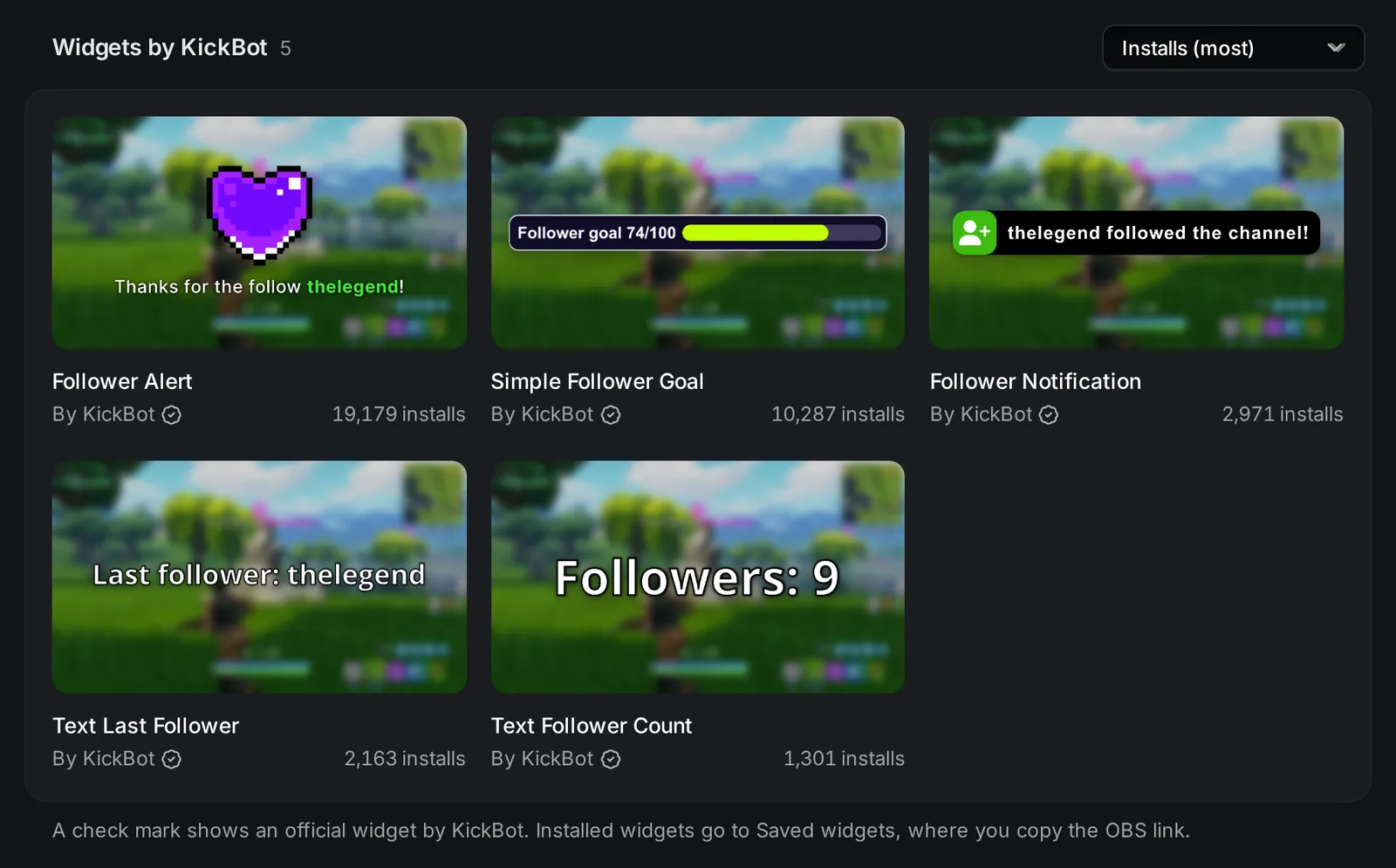
Other follower widgets in the library:
- Text Last Follower shows the name of your newest follower.
- Follower Alert and Follower Notification pop up on stream when someone follows. See On-screen alerts.
Add the follower count to OBS
Section titled “Add the follower count to OBS”- Open the widget library and search follower.
- Click Text Follower Count or Simple Follower Goal, then click Install widget.
- Open Saved widgets and click Copy URL on the widget.
- In OBS, add a Browser source and paste the URL.
- Set the width and height: 600 × 200 for Text Follower Count, or 1000 × 150 for Simple Follower Goal. Click OK.
Settings
Section titled “Settings”Click the widget in Saved widgets to change it, then click Save. The widget in OBS reloads with the new settings.
Text Follower Count (600 × 200):
| Setting | What it does | Default |
|---|---|---|
| Text | The text on stream. {followers} is replaced by your follower count. | Followers: {followers} |
| Text color | Color of the text. | White (#ffffff) |
| Text size | Size of the text, in pixels. | 50 |
| Text outline | Adds a shadow around the text so it is easy to read. | On |
Simple Follower Goal (1000 × 150):
| Setting | What it does | Default |
|---|---|---|
| Text | The label before the numbers. It can be empty. | Follower goal |
| Follower goal | The number of followers you want to reach. | 100 |
| Bar color | Color of the filled part of the bar. | #c1ff00 |
| Bar background color | Color of the empty part of the bar. | #3d3957 |
| Background color | Color of the widget behind the text and bar. | #100c28 |
| Outline color | Color of the border around the widget. | White (#ffffff) |
| Text color | Color of the text and numbers. | White (#ffffff) |
For example, with 74 followers and a goal of 100, the goal widget shows “Follower goal 74/100” and the bar is 74% full. When you pass the goal, the bar stays full. Raise Follower goal and click Save to set a new one.
Use Follow, Unfollow and Follower count updated under Test events to see the count change in the preview. Test events do not go to OBS and do not change your real count.
How to see who follows you on Kick
Section titled “How to see who follows you on Kick”KickBot shows the count. To see the people, use Kick itself. Kick’s help center describes these places (checked October 24, 2026):
- Follower count: the Followers section of your Kick Creator Dashboard shows how many followers your channel has.
- New followers: the Activity Feed in the Creator Dashboard shows recent activity on your channel, including new followers.
- Followers over time: in the Creator Dashboard, open Analytics > Overview. It shows Follower Count and Followers Gained (Kick help: analytics overview).
Kick’s help center does not describe a page that lists every person who follows you. For more ways to track follows, see How to see your Kick followers. To thank new followers in chat, use Chat alerts.
Troubleshooting
Section titled “Troubleshooting”The count is wrong or 0. Right-click the source in OBS and choose Refresh cache of current page. The widget loads your count from Kick again.
The goal bar does not move. Check that Follower goal is higher than 0, then click Save.
The text is cut off. Your text is longer than the widget. Lower Text size, or make the browser source wider in OBS.
For more help with browser sources, see Add a browser source to OBS.
How do I show my Kick follower count in OBS?
Install Text Follower Count from the KickBot widget library, copy its URL in Saved widgets, and add it to OBS as a Browser source at 600 × 200.
How do I make a follower goal for Kick?
Install Simple Follower Goal, set Follower goal to your target, click Save, and add the URL to OBS at 1000 × 150.
Can I see who unfollowed me on Kick?
The follower count goes down when someone unfollows, but KickBot widgets do not show who it was.
Does KickBot add followers to my channel?
No. KickBot only shows and tracks your real followers. It does not sell or add followers.